Bottom line: Drawtify is an online vector editor for logos, infographics, flyers, posters and simple animations, with a Mac and a Windows app as well as the browser version. On AppSumo it’s one plan, $79.90 once, and when a buyer asked in October 2025 whether the deal matched the Pro plan on Drawtify’s own site, support answered “yes, it same as Pro plan and lifetime use.” That Pro plan costs $14.99 a month or $99.99 a year direct, so the deal pays for itself inside a year. What most people miss is the Q&A. Since February 2025, support has told buyers three times that the developer is working on another project, and there are no AI features, no API and no custom font upload. You’re buying the tool as it stands today. The listing is refundable up to 60 days and carries “No “We Got Your Back” guarantee.”
Best for: content creators, freelancers and small businesses who want vector editing, infographics and simple animated graphics without a subscription.
Think twice if: you need AI tools, your own brand fonts, .ai or .eps import, or a product that ships new features every month.
We have no affiliate deal with Drawtify or AppSumo; links go to the official pages. How we review.
Updated 29 October 2026. This Drawtify review rests on what we read that day: the Drawtify listing on AppSumo, including the plan card, the deal terms, reviews and the first page of buyer questions, plus Drawtify’s own pricing page and its FAQ. We haven’t designed anything in it, so we describe the plan, the features and what buyers and support say, not how fast the editor feels.
Drawtify review at a glance
| What we checked | What the pages say |
|---|---|
| AppSumo plan | One plan, $79.90 once; listing shows $990 struck through |
| Maps to | Drawtify’s Pro plan, per support in October 2025 |
| Drawtify’s own Pro | $14.99 a month, or $99.99 a year |
| Stacking | “This deal is not stackable” |
| Platforms | Web, Mac app, Windows app; phones blocked |
| Development | Support: developer “working on another project” (Feb 2025, Sep 2025, Mar 2026) |
| AppSumo guarantee | “No “We Got Your Back” guarantee” |
| Refund | Refundable up to 60 days |
| Listing rating | 4.67 stars from 27 reviews |
What Drawtify does
Drawtify is a graphic design editor built on vector drawing, closer in spirit to a light Illustrator or CorelDRAW than to a template-first tool like Canva. Its own FAQ puts it this way: Drawtify “does not want to replace Canva,” but adds things Canva couldn’t do, such as “vector editing, special effects, custom animations, path text, textured text.” The AppSumo plan card lists what’s included:
- Editing: a “100% vector editor,” an “unlimited layer list,” “artistic typography & layout” and “fast & precise photo edit.”
- Resources: “20K+ icons and shapes” and “1000+ design element templates,” plus Unsplash photos, which the listing’s FAQ puts at over 100 million.
- Animation: “intuitive animation tools.” Drawtify’s FAQ says animations export to “GIF, APNG, SVG, and video.”
- Plug-ins: a “built-in barcode generator” and “built-in multiple table editing tools,” with QR codes, charts, tree diagrams and maps named in the listing’s FAQ.
The listing’s own description lists the jobs it aims at: SVG editing, animated logos, infographics, flyers, posters, YouTube banners and business cards. Turns out the charts plug-in can also take a CSV file from your computer, according to a support reply in March 2026, which matters if you build infographics from real numbers.
Files live in the cloud. When a buyer asked in June 2025 where designs are saved, support replied in August that they’re kept on Drawtify’s server, “but you can download your project into you own driver.”
The one thing most buyers miss: the roadmap is quiet
The deal terms promise “All future Drawtify Plan updates.” That promise is only worth as much as the updates that arrive, and the Q&A on the listing is unusually frank about them.
- December 2024: a buyer asked what had happened to ongoing development. Support replied in February 2025: “it lack of update because our developer working on another project. But the AI feature not in our plan.”
- September 2025: another buyer noted that on every platform the “last update/post was in 2022, kind of.” Support: “our team working on other project. We didn’t promote it two years, but we always fix bugs and functions when we got any feedback.”
- March 2026: asked whether the software will keep being developed, support said the team was discussing adding a Google image model, “But the developer working on another project, I will ask him again this week.”
- April 2026: a buyer wrote that “there haven’t been any updates in recent years,” and asked for HTML export. Support: “The developer told me he will try support html export/download.”
Honestly, this isn’t a reason to skip the deal by itself. A vector editor that works today keeps working, and several long-term reviewers are happy with it as it is. But don’t buy Drawtify on the strength of features you hope will arrive. In practice, judge it on the version you can open during the refund window, and assume that’s roughly the version you’ll have in two years.
The plan, and what “Pro” includes
| Plan | Price |
|---|---|
| Drawtify Solo creators who want vector, infographic and animation work |
$79.90 once |
One-time price on AppSumo, one code only. The listing shows a struck-through $990. Drawtify's own site lists Free ($0), Monthly without some pro features ($9.99 a month), Monthly Pro ($14.99 a month) and Yearly Pro ($99.99 a year, shown against $179.88).
Prices checked Oct 29, 2026 on Drawtify’s own pricing page. Lifetime deals are listings that can end or change, so check the live listing before you buy.
AppSumo sells one plan at $79.90 once. The listing shows $990 struck through and a “-92%” badge; that’s the listing’s own reference price, and we couldn’t find a $990 figure anywhere on Drawtify’s site. Drawtify’s own pricing page, read on 29 October 2026:
| Drawtify’s own plan | Price | Templates | Uploads and exports |
|---|---|---|---|
| Free | $0 | “Limited Design Templates” | 40 MB uploads, SD exports; no animation or PDF exports |
| Monthly, “Without some pro features” | $9.99 a month | 3000+ templates, 1000+ elements | 1 GB uploads, HD and vector exports; no animation exports or AI background removal |
| Monthly Pro, “Fully functional” | $14.99 a month | 3000+ templates, 1000+ elements | Everything ticked |
| Yearly Pro, “Fully functional” | $99.99 a year (shown against $179.88) | 3000+ templates, 1000+ elements | Everything ticked |
The Pro tiers tick animation exports, “AI Image Remove BG,” watermark removal, PDF exports, direct print and folders. The AppSumo card doesn’t list those items, which is why the October 2025 answer matters: support says the deal is the same as Pro. If animation export or background removal is the reason you’re buying, check both inside your first week.
One wording gap to know about. The terms say “Drawtify Plan,” but Drawtify’s own pricing page has no plan by that name. The support answer is the clearest mapping we found. Screenshot it, or ask again after you redeem, so you have it in writing.
Picking a plan: three worked examples
There’s only one plan, so the real choice is AppSumo versus paying Drawtify directly. The sums are simple.
Against Monthly Pro. At $14.99 a month, $79.90 covers about five and a third months. If you’ve got a design job that runs half a year or more, the deal is already ahead.
Against Yearly Pro. $99.99 a year direct means the deal costs $20.09 less than a single year. Over three years, direct Pro adds up to $299.97, against $79.90 once. That’s the clearest case for buying through AppSumo.
Against the $9.99 plan. Eight months of the cheaper monthly plan is $79.92, and that plan lacks animation exports and background removal. Unless you need Drawtify for a single short project, the deal wins here too.
When you weigh the sums, don’t forget the quiet roadmap. Paying monthly direct lets you stop the day the tool stops suiting you; the deal is a bet that today’s feature set is enough. If you’ve used Drawtify’s free plan and liked it, that bet is fairly safe.
What buyers report
The listing shows 4.67 stars from 27 reviews: 20 five-star, 5 four-star and 2 three-star. We didn’t see a “bought” count on the page.
People like the clean editor. A November 2025 reviewer says it keeps “navigation and functionality relatively clean” and runs fast “even on older hardware.” Another, also in November 2025, calls it their go-to for quick, minimalist jobs because Canva’s interface keeps changing; their cons were “export quality” and “working with ‘text’ in ‘text box’.”
Animation is the surprise feature. An April 2026 reviewer bought it to animate vector drawings after doing it by hand in Inkscape. A 2023 review calls the animated graphics and logos the feature that sold them.
Infographics and short documents. A November 2024 reviewer who also owns Canva, Adobe and Affinity says they reach for Drawtify for “a 1-4 page report/brochure or newsletter.”
The complaints are consistent. The April 2026 reviewer couldn’t import “.ai” and “.eps” files and was blocked on a tablet with “mobile not supported – use a tablet or desktop instead.” Another asked for slower, more focused video tutorials, since the existing ones are “a bit dated.”
Support replies, eventually. Answers on the questions tab range from same-day to several months. A question about thumbnails asked on 30 October 2025 got its reply on 3 March 2026.
What Drawtify can’t do
No AI tools. Support said in June 2025 “we don’t adapt AI system in Drawtify,” and in February 2025 that AI wasn’t in the plan. The March 2026 talk of adding an image model came with the same caveat about the developer.
No custom font upload. In May 2024 support said it “can’t upload custom font now,” pointing to a workaround that converts text to outlines. In June 2025 support added that Google Fonts load automatically.
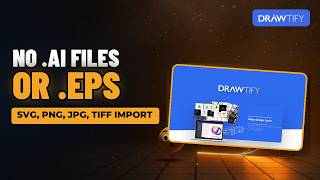
Limited imports. In April 2026 support said it “supports svg, jpg, png, tiff import,” and that they’d ask about EPS. Drawtify’s FAQ lists JPG, PNG, PDF and SVG for import and export, so the two sources differ on PDF.
No API. Asked in May 2025 for an embeddable editor, support said “we don’t have any API currently.”
No social scheduling. Support suggests exporting an image or video and posting it with another tool.
The terms
The deal terms read:
- “Lifetime access to Drawtify Plan.”
- “You must redeem your code(s) within 60 days of purchase.”
- “All future Drawtify Plan updates.”
- “Please note: This deal is not stackable.”
The guarantee line reads “No “We Got Your Back” guarantee. This listing is managed by the partner who built the product — we haven’t vetted it, so this guarantee doesn’t apply.” The listing also says “Refundable up to 60 days from your purchase date.” Like every AppSumo deal, this one can end, so don’t assume the price will be there next year.
Drawtify vs Adobe Illustrator, Canva and Visme
The listing names Adobe Illustrator, Canva and Visme as the tools Drawtify replaces. We didn’t price any of them for this review, and we haven’t compared their features side by side. What the pages we read support is narrower. Drawtify’s own FAQ positions it as a vector-first tool that does things a template tool can’t, and one long-term reviewer who pays for Canva, Adobe and Affinity still uses Drawtify for infographics and short brochures. Against Illustrator, the obvious gap is file support: no .ai or .eps import, per support. If you’ve got a library of client files in those formats, Drawtify won’t open them.
Common mistakes with the Drawtify deal
Buying for features on the wish list. AI tools, HTML export and EPS import have all been “asked about” by support. None is promised with a date.
Assuming you can add a second code. The deal isn’t stackable. One account, one plan.
Planning to use your brand fonts. You can’t upload them; you’d convert text to outlines.
Expecting to open .ai files. Import is SVG, JPG, PNG and TIFF, per support.
Planning to design on a phone. One buyer was blocked. Use a desktop, laptop or tablet.
Skipping the export test. One reviewer flagged export quality. Export your real formats before day 60.
Who Drawtify suits
A creator who makes infographics and short brochures. Charts, maps, QR codes and multi-page layouts are built in.
Someone who wants simple animated logos and graphics. Animation is the feature reviewers praise most.
A Drawtify free-plan user. If you’ve used it free and want Pro without a subscription, this is the cheapest route we found.
A designer living in Illustrator files, or a team that wants AI features. Skip the deal.
How to test it inside the refund window
- Redeem the code and confirm Pro features, such as animation export, PDF export and background removal.
- Rebuild one real design, a flyer or infographic you’ve made before, and export it as PNG, SVG and PDF.
- Animate one logo and export it as GIF and video.
- Check your fonts in the Google Fonts list, and try the text-to-outline workaround if yours is missing.
- Email support with one question and note how long the reply takes.
What we couldn’t check
We didn’t design, animate or export anything, so we can’t speak to output quality or speed. We read only the first page of the 200 buyer questions. We couldn’t confirm in writing, beyond the October 2025 support answer, which of Drawtify’s plans the “Drawtify Plan” code maps to, and we couldn’t find where the listing’s $990 reference price comes from. Drawtify’s FAQ says “All design functions and tools are free,” while its pricing page withholds several features from the free plan; we went by the pricing page. The listing names a co-founder but shows no founding year, location or team size.
FAQ: Drawtify questions
Is Drawtify a one-time payment on AppSumo?
Yes. It’s one plan at $79.90 once, read on 29 October 2026, and it can’t be stacked.
Is the AppSumo deal the same as Drawtify Pro?
Support said so in October 2025: “it same as Pro plan and lifetime use.” Drawtify’s own Pro plan costs $14.99 a month or $99.99 a year.
Is Drawtify still being updated?
Support says bugs get fixed, but has said since February 2025 that the developer is working on another project. Buy it for what it does today.
Can Drawtify open Illustrator or EPS files?
Not according to support in April 2026, which listed SVG, JPG, PNG and TIFF for import.
The verdict
Drawtify is a capable vector editor with genuinely useful extras, animation and infographic plug-ins above all, and $79.90 once for what support calls the Pro plan is less than one year of paying Drawtify directly. The reviews are warm and the reviewers who’ve used it longest are the happiest. The score is held back by the honest answers on the questions tab: development has slowed, AI and custom fonts aren’t coming on any stated timeline, and the listing has no AppSumo guarantee. If today’s feature set covers your work, it’s a sensible buy; test exports in the first week, inside the 60 days.
Drawtify on our desks
Our YouTube channels cover Drawtify from different angles. Each video opens on YouTube.